
Call us toll free:
8619709992541 [email protected]
Jctprint Machinery Co., Ltd
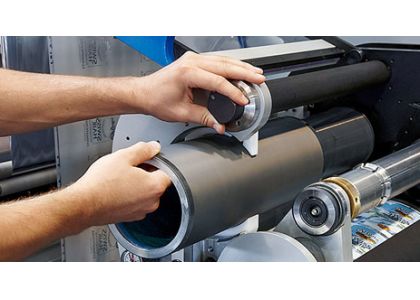
In flexographic printing, maintaining consistent print quality depends heavily on the condition of your anilox roller.
However, many printers face a common problem:
● Print quality keeps declining—even after cleaning.
At this point, the real question is:
Does your anilox roller need replacement?
In this guide, we’ll show you 5 clear signs that indicate it’s time to replace your anilox roller—helping you avoid production issues and unnecessary costs.
The lifespan of an anilox roller depends on several factors:
• Material (ceramic vs chrome)
• Ink type (water-based, solvent, UV)
• Cleaning methods
• Operating conditions
● In general:
• Ceramic anilox rollers: 3–5+ years
• Chrome anilox rollers: shorter lifespan
High-quality ceramic rollers, when properly maintained, can last even longer while maintaining stable performance.
If you notice:
• Uneven ink transfer
• Faded prints
• Missing dots
● And cleaning doesn’t fix the issue
This is a strong indication that the anilox cells are no longer functioning properly.
Over time, wear and cleaning can reduce cell volume, meaning:
• Less ink transfer
• Poor color density
● Even small volume loss can have a big impact on print quality.
Check for:
• Scratches
• Corrosion
• Uneven surface
● Damaged cells cannot hold or release ink correctly, leading to unstable printing.
If you are:
• Cleaning more often
• Using stronger cleaning methods
…but print quality still doesn’t improve
● This usually means the issue is not contamination—but wear.
Are you using more ink than before to achieve the same result?
● This could indicate:
• Reduced cell efficiency
• Poor ink transfer
Resulting in higher production costs
Many users struggle with this question.
Here’s a simple guideline:
| Situation | Cleaning | Replacement |
|---|---|---|
| Light ink blockage | ✅ | ❌ |
| Deep cell clogging | ⚠️ | Maybe |
| Cell wear or damage | ❌ | ✅ |
| Volume loss | ❌ | ✅ |
| No improvement after cleaning | ❌ | ✅ |
● If cleaning no longer restores performance, replacement is the better long-term solution.
Making the wrong decision—clean vs replace—can cost time and money.
At JCTPRINT, we use advanced AniCAM inspection systems to:
• Measure actual cell volume
• Detect wear and blockage
• Provide data-based recommendations
● This ensures you make the right decision with confidence.
With over 20 years of experience, JCTPRINT provides:
• High-precision ceramic anilox rollers
• Advanced laser engraving technology
• Strict quality inspection at every stage
• Stable performance across global markets
• Service in 40+ countries
● We don’t just supply rollers—we help optimize your printing performance.
Not sure if your anilox roller needs replacement?
● Contact JCTPRINT today for a free technical evaluation.
We will help you:
• Analyze your current roller condition
• Recommend cleaning or replacement
• Suggest the right LPI & volume
→ Send us:
• Printing application
• Ink type
• Current roller specifications
● Get a professional recommendation within 24 hours


