
Call us toll free:
8619709992541 [email protected]
Jctprint Machinery Co., Ltd
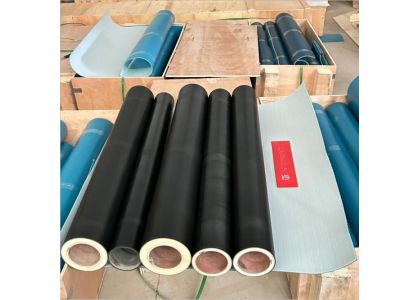
Flexo plate sleeves are essential components in every flexographic printing workflow. When properly maintained, they can deliver stable registration, consistent print quality, smoother job changes, and significantly reduced downtime. However, without the right care, sleeves can degrade quickly—leading to swelling, reduced adhesion, runout issues, and unnecessary replacement costs.
This guide explains how to maintain your flexo plate sleeves, avoid common damage, and extend their lifespan for maximum return on investment.
Improper storage is one of the most common causes of sleeve deformation and concentricity issues. Composite sleeves are sensitive to temperature, humidity, and pressure.
Store sleeves vertically on dedicated sleeve racks
Keep away from direct sunlight and heat sources
Avoid stacking or placing heavy items on sleeves
Maintain controlled storage conditions:
Temperature: 20–24°C
Humidity: 40–60% RH
Proper storage alone can increase sleeve lifespan by 30–40%.
Aggressive solvents or improper cleaning tools can damage the sleeve’s outer coating, inner surface, and air channels.
Use mild, sleeve-approved cleaning detergents
Avoid acetone, MEK, and other harsh chemicals
Clean adhesive residue with soft cloths, never metal scrapers
Ensure sleeves are completely dry before storing
Place protective tape over the sleeve ends during cleaning to avoid moisture getting inside.
The inner bore allows expansion during mounting. Any damage here causes mounting difficulty and unstable print performance.
Inspect the bore regularly for scratches and residue
Keep mandrels and air shafts clean and lubricated
Ensure O-rings on the air mandrel are replaced periodically
Immediately repair sleeves with minor cracks around air holes
Even a small crack can later lead to complete air loss or sleeve failure.
Tape not sticking properly
Plates lifting during printing
Uneven print pressure
Use high-quality flexo mounting tapes
Avoid sharp tools when removing tape
Clean adhesive residue after every job
Rotate sleeves to balance wear when working with multiple sleeves
Consistently maintaining the surface will protect your sleeve and ensure accurate plate mounting.
Twisting or forcing the sleeve onto the mandrel
Using insufficient air pressure
Pulling the sleeve unevenly from one side
Ensure air pressure is stable and sufficient
Slide the sleeve smoothly, without rotation
Remove sleeve evenly with both hands
Do not exceed recommended mounting cycles per day
Gentle handling prevents internal cracking and bore expansion.
Every 3–6 months, check the following:
TIR (Total Indicated Runout) — ensures concentricity
Diameter consistency — detects swelling early
Surface smoothness
Air hole performance
Weight changes (a sign of moisture absorption)
Replace sleeves that show:
Major swelling or deformation
Deep scratches on the inner bore
Air leaks that cannot be repaired
Severe surface abrasion
Even with perfect maintenance, sleeve quality determines lifespan. High-quality sleeves reduce swelling, maintain precise dimensions, and perform consistently under long-term use.
High-density composite structure
Excellent moisture resistance
CNC-machined precision for minimal TIR
Reinforced air-channel design
Strong outer coating for adhesive durability
Compatible with all major flexo machine brands
A better sleeve = fewer problems + longer service life + more stable printing.
Extending the lifespan of your flexo plate sleeves is not difficult—but it requires consistent, proper maintenance. By controlling storage conditions, using safe cleaning methods, protecting the inner bore, and following correct mounting procedures, printers can significantly reduce sleeve failures and improve production efficiency.
If you're looking for high-precision, long-lasting flexo plate sleeves, JCTPRINT provides reliable solutions trusted by customers in more than 40 countries.
Need recommendations for your machine model?
I can help you generate a custom sleeve specification sheet—Just tell me the machine model.


