
Call us toll free:
8619709992541 [email protected]
Jctprint Machinery Co., Ltd
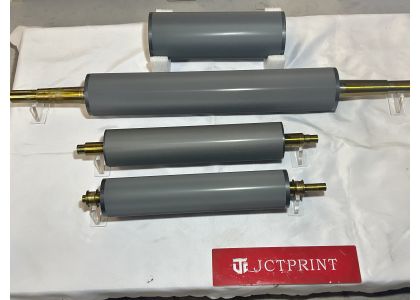
Poor print quality is one of the most common challenges in flexographic printing. Problems such as uneven ink transfer, color variation, missing dots, streaks, or inconsistent print density can reduce production efficiency and increase waste.
Many printing operators first check the ink, printing plates, or machine settings. However, one critical component is often overlooked: the anilox roller.
As the core component responsible for transferring ink, the condition and specification of the anilox roller directly affect print consistency and quality. If your print results suddenly decline, checking the anilox roller should be one of the first steps.
One of the most frequent issues is cell blockage.
During long production runs, dried ink, coating residue, or contaminants can accumulate inside the engraved cells. Even partial blockage reduces the cell volume and prevents the roller from transferring the required amount of ink.
Even if the roller surface is clean, incorrect specifications may create printing issues.
Different printing applications require different cell volumes and line screens. Using an unsuitable anilox roller may cause excessive or insufficient ink transfer.
For example:
Choose an anilox specification according to:
Selecting the correct cell geometry helps achieve better print balance.
Over time, ceramic surfaces may gradually wear due to improper cleaning tools, mechanical friction, or long-term production use.
Damaged or worn cells can no longer deliver consistent ink transfer.
Inspect the roller regularly for:
If severe wear is detected, roller refurbishment or replacement may be necessary.
Some users focus on cleaning frequency but overlook cleaning methods.
Using aggressive metal brushes or unsuitable chemicals can damage the ceramic surface and shorten roller lifespan.
✔ Use proper cleaning solutions
✔ Follow regular maintenance schedules
✔ Use non-damaging cleaning tools
✔ Inspect cell conditions periodically
Proper maintenance helps maintain stable ink transfer and extends service life.
A high-quality ceramic anilox roller provides:
At JCTPRINT, we manufacture precision ceramic anilox rollers using advanced plasma coating technology and laser engraving processes. Every roller is carefully inspected to ensure stable performance for flexographic printing, labels, corrugated packaging, and coating applications.
Poor print quality does not always originate from ink or machine settings. In many cases, the anilox roller is the hidden cause behind inconsistent printing performance.
By checking for clogged cells, incorrect specifications, surface wear, and maintenance issues, printing companies can identify problems faster and reduce unnecessary production losses.
A properly maintained and accurately designed anilox roller plays a key role in achieving stable, high-quality printing results.


